Vector SVG Flowers Cut File Bundle: A Practical Guide for Creators
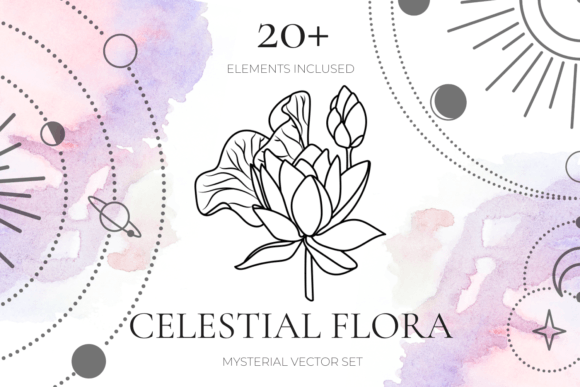
Digital design assets have revolutionized how we approach crafting, branding, and content creation. Among the most versatile resources available today is the Vector SVG Flowers Cut File Bundle. This collection offers a blend of hand-drawn aesthetics and technical precision, providing twenty-one unique floral elements in multiple formats including PNG, JPEG, SVG, and EPS. While the promise of instant download and high-quality files is appealing, many creators rush into using these assets without fully understanding the nuances of vector graphics versus raster images. This oversight often leads to frustration during the production phase, whether you are cutting vinyl for a tote bag or designing a digital invitation.
Understanding the specific capabilities of this bundle can save you time and prevent costly errors. The inclusion of both lineart and silhouette styles means you have flexibility, but only if you know which format serves your specific project best. Let’s explore common pitfalls users encounter when working with floral cut files and how to leverage this bundle effectively for projects ranging from planner stickers to large-format posters.
Misunderstanding File Formats and Their Limitations
One of the most frequent mistakes beginners make is treating all file types as interchangeable. You might download the Vector SVG Flowers Cut File Bundle and immediately try to use the JPEG files for a vinyl cutter. This approach rarely yields clean results. JPEGs and PNGs are raster images, meaning they are made of pixels. When you enlarge them beyond their original dimensions, they become pixelated and blurry. More importantly, cutting machines cannot interpret pixel data efficiently for precise cuts unless the image is converted into paths, a process that often introduces jagged edges and unnecessary nodes.
In contrast, SVG (Scalable Vector Graphics) and EPS files are vector-based. They use mathematical equations to define lines and shapes, allowing them to be scaled infinitely without losing quality. For the twenty-one elements in this bundle, the SVG and EPS files are your primary tools for any physical cutting project. If you are designing a t-shirt print or a large poster, always start with the vector files. Reserve the PNG and JPEG versions for digital-only applications, such as web design, blog headers, or social media graphics, where transparency and quick loading times are prioritized over scalability.
Overlooking the Importance of Clean Paths
Not all vector files are created equal. A common issue with free or low-quality clipart is "dirty" paths—extra anchor points, overlapping lines, or open shapes that confuse cutting software. When you purchase a premium bundle like this one, you expect high-quality files, but it is still wise to inspect them before starting a complex project. Poorly optimized vectors can cause your cutting machine to stutter, tear the material, or take significantly longer to complete the job.
To avoid this, open the SVG files in your preferred design software, such as Cricut Design Space, Silhouette Studio, or Adobe Illustrator. Zoom in closely on the curves of the hand-drawn flowers. The lines should be smooth, and the shapes should be closed if you intend to cut them out as solid silhouettes. If you notice excessive anchor points, use the simplify or optimize tool in your software to clean up the path. This step ensures that your Hand Drawn Flowers, Lineart and Silhouette SVG Floral Bundle performs efficiently, reducing wear on your equipment and saving material.
Neglecting Project-Specific Design Choices
Another overlooked detail is matching the style of the floral element to the end product. This bundle includes both lineart and silhouette options. Lineart, with its delicate strokes, is perfect for intricate paper crafts, elegant wedding invitations, or detailed engraving. However, using fine lineart for small vinyl decals can be problematic. Thin lines may not weed easily, leading to frustration and wasted materials. For smaller applications like planner stickers or keychains, the silhouette versions are often more practical because they offer bold, solid shapes that are easier to handle and apply.
Consider the medium you are working with. If you are creating patterns for paper or fabric printing, the transparent background PNGs are invaluable. They allow you to layer flowers seamlessly without worrying about white boxes appearing around the designs. For quote overlays on t-shirts or tote bags, combine the silhouette flowers with bold typography. The high-contrast nature of silhouettes ensures readability and visual impact, whereas lineart might get lost against busy backgrounds or textured fabrics.
Ignoring Licensing and Usage Rights
While this article focuses on technical usage, it is crucial to remember the legal aspect of digital assets. Many creators assume that purchasing an instant download grants them unlimited commercial rights. Always verify the license terms associated with the Vector SVG Flowers Cut File Bundle. Some licenses allow for personal use only, while others permit commercial use up to a certain number of sales. Misunderstanding these terms can lead to copyright issues, especially if you are a small business owner selling physical products like greeting cards or printed apparel.
Ensure that your intended use aligns with the license. If you are planning to sell items featuring these designs, keep a record of your purchase and license agreement. This documentation protects your business and provides peace of mind. Additionally, respect the integrity of the artwork. Avoid claiming the designs as your own original creations. Instead, position them as part of your curated design toolkit, adding value through your unique arrangement and application.
Best Practices for Integration and Workflow
To maximize the value of this bundle, integrate it into a streamlined workflow. Start by organizing your files. Create folders for each format (SVG, EPS, PNG, JPEG) and subfolders for specific themes if applicable. This organization saves time when you are in the creative flow and need to locate a specific floral element quickly.
- Test Before Production: Always run a small test cut or print before committing to a full batch. This helps you identify any scaling issues or material compatibility problems.
- Layer Wisely: When using the transparent PNGs for digital designs, pay attention to layer order. Place floral elements behind text for subtle decoration or in front for framing effects, ensuring readability remains intact.
- Combine Elements: Don’t limit yourself to using one flower at a time. Combine different elements from the twenty-one provided to create custom bouquets or borders. This adds uniqueness to your projects and prevents your designs from looking generic.
By approaching the Vector SVG Flowers Cut File Bundle with a clear understanding of file types, design suitability, and workflow efficiency, you transform a simple download into a powerful asset for your creative toolkit. Whether you are a hobbyist making gifts for friends or an entrepreneur building a brand, these hand-drawn florals offer the versatility needed to produce professional-quality results. Take the time to learn the tools, respect the formats, and let your creativity flourish without the hindrance of avoidable technical errors.